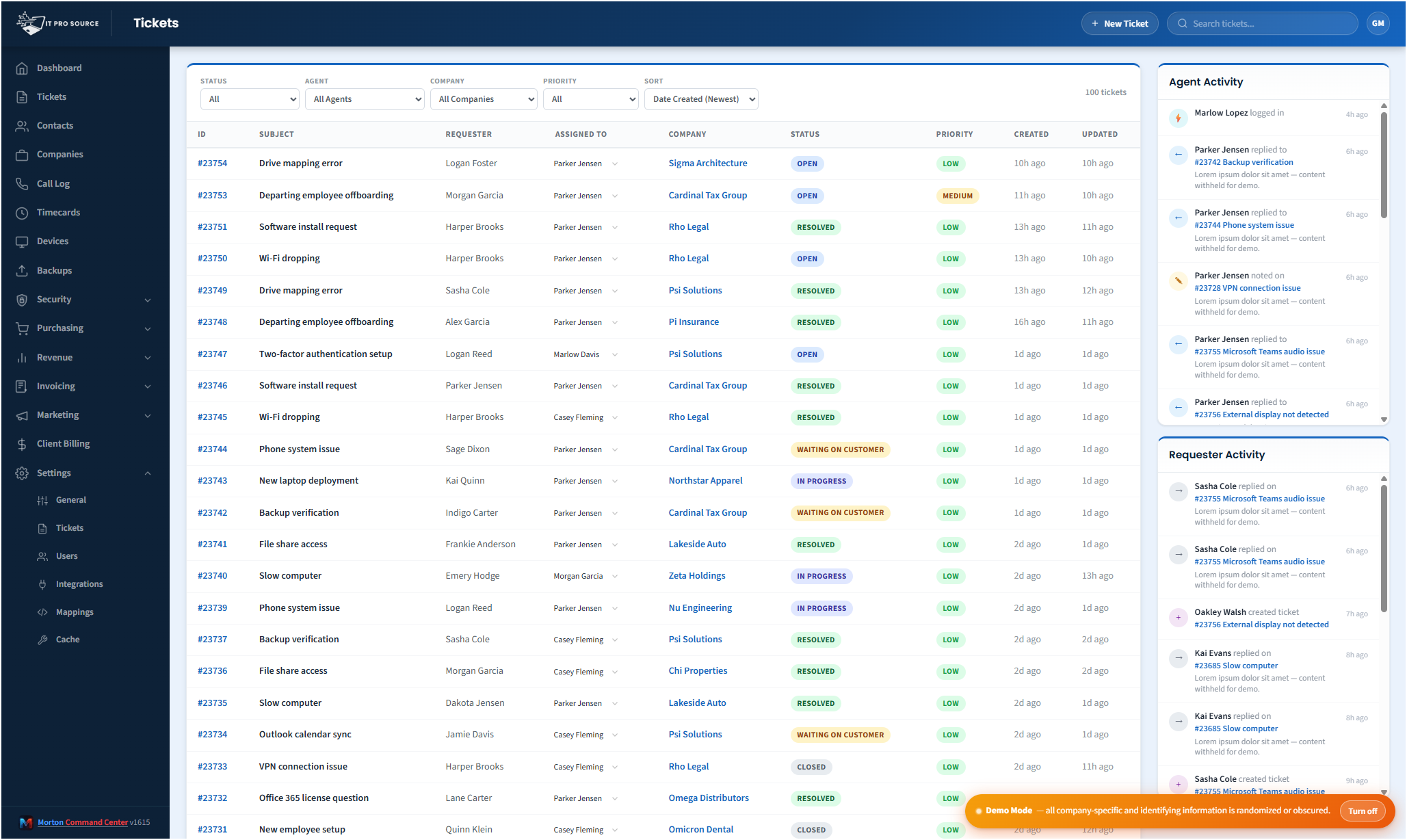
Freshdesk and NinjaOne are an excellent best-of-breed stack: Freshdesk gives you a fast, flexible ticket system; NinjaOne gives you affordable, capable RMM. The downside is they don't talk to each other natively: your techs swap tabs all day, your billing closeouts cross-reference both systems by hand, and your reporting lives in two places.
Morton Command Center is the operations layer that makes Freshdesk and NinjaOne behave like one product, custom-built around your MSP's specific workflow.
What gets unified
- Tickets show device context inline. Open a Freshdesk ticket and the related device's NinjaOne health, patch status, last reboot, and other open tickets surface automatically.
- Devices show ticket history. Open a NinjaOne device and every ticket that's ever touched it appears, with one-click navigation back to Freshdesk.
- Customer view is one screen. Per-company dashboards merge Freshdesk tickets, NinjaOne devices, billing rules, recent backups, and security findings in one tabbed view.
- Billing pulls from both. NinjaOne device counts auto-populate the per-device line items in invoices. No manual reconciliation.
- Reporting crosses systems. Per-company rollups, scheduled email reports, and revenue analytics draw on both ticket and device data in one place: a cross-system view neither tool gives you on its own.
How the integration actually works
Both Freshdesk and NinjaOne expose mature REST APIs. Morton Command Center polls each on a schedule (near-real-time for tickets, refreshed periodically for device inventory) and caches the merged view at the edge. The result: sub-second page loads, no live API hops on every click, and zero configuration needed inside Freshdesk or NinjaOne: the sync reads without changing a thing on their side.
The cache invalidates when either system reports updates via webhooks (where supported) or on the next poll cycle. For action-taking (replying to a ticket, updating ticket status, reassigning, or rebooting a device through NinjaOne), Morton Command Center calls the source API directly, so there's no risk of acting on stale state.
We build your Freshdesk and NinjaOne integrations as part of your engagement, and nothing about this approach is specific to them. Because the platform is API-driven, your PSA (Freshdesk, ConnectWise, HaloPSA, or anything with an API) and your RMM (NinjaOne, Datto, or whatever you run) get wired in the same way, custom to your stack. If your tool has an API, we build the integration for it, custom to your stack.
What stays in Freshdesk and NinjaOne
Everything. Your tickets are still in Freshdesk. Your device records are still in NinjaOne. Your historical data is intact. If you ever wanted to walk away from Morton Command Center, you'd open Freshdesk and NinjaOne and find them exactly as you left them, with no migration, no data hostage situation.
Beyond the unified view
Once Freshdesk and NinjaOne are unified, Morton Command Center becomes the natural place to add the MSP operations Freshdesk and NinjaOne don't cover: customer portal (branded, with ticket and device visibility), billing automation (pulling from NinjaOne device counts and logged technician time), security operations (rolling up Huntress, Cork, vPenTest, and any security vendor with an API), procurement (Pax8 and Ingram quotes), and operational reporting that crosses every system.
A common Morton CC starting stack
Freshdesk + NinjaOne is one of the most common combinations we see MSPs running. Because every build is one-of-one, your integration gets wired to your specific queues, device fields, and billing rules as part of your engagement, not handed to you as a generic template.
Pricing
Morton Command Center uses transparent flat-rate pricing. No per-seat, per-endpoint, or per-ticket fees. See current pricing on the homepage →
Launch pricing is active through December 31, 2026: sign up by then and your rate is locked in for life.
Running a different RMM or PSA? Freshdesk + NinjaOne is the most common starting point, not the only one. Every integration is custom-built for your stack as part of your engagement. Whatever you run (Datto, ConnectWise, HaloPSA, RingCentral, Xero, Sage, or any tool in any of these categories) gets built for you the same way, as long as it has an API.
Ready to make Freshdesk and NinjaOne behave like one product?
The first call is a 30-minute discovery: we map your Freshdesk instance, your NinjaOne organizations, and how you want tickets and devices to reference each other. No commitment, no sales pressure.
Questions first? Email [email protected] or read the FAQ.
Related solutions
Morton Command Center is built around your specific stack. If this page resonates, these adjacent angles probably will too:
- MSP Help Desk Dashboard: the ticket console itself, on any help desk with an API.
- Consolidate Your MSP Stack: the general consolidation pattern.
- Automated MSP Invoicing: where the device-count automation pays off.
- NinjaOne + Huntress + Cork: adding security to the same stack.
- MSP Operations Efficiency: the time savings from killing tab swaps.