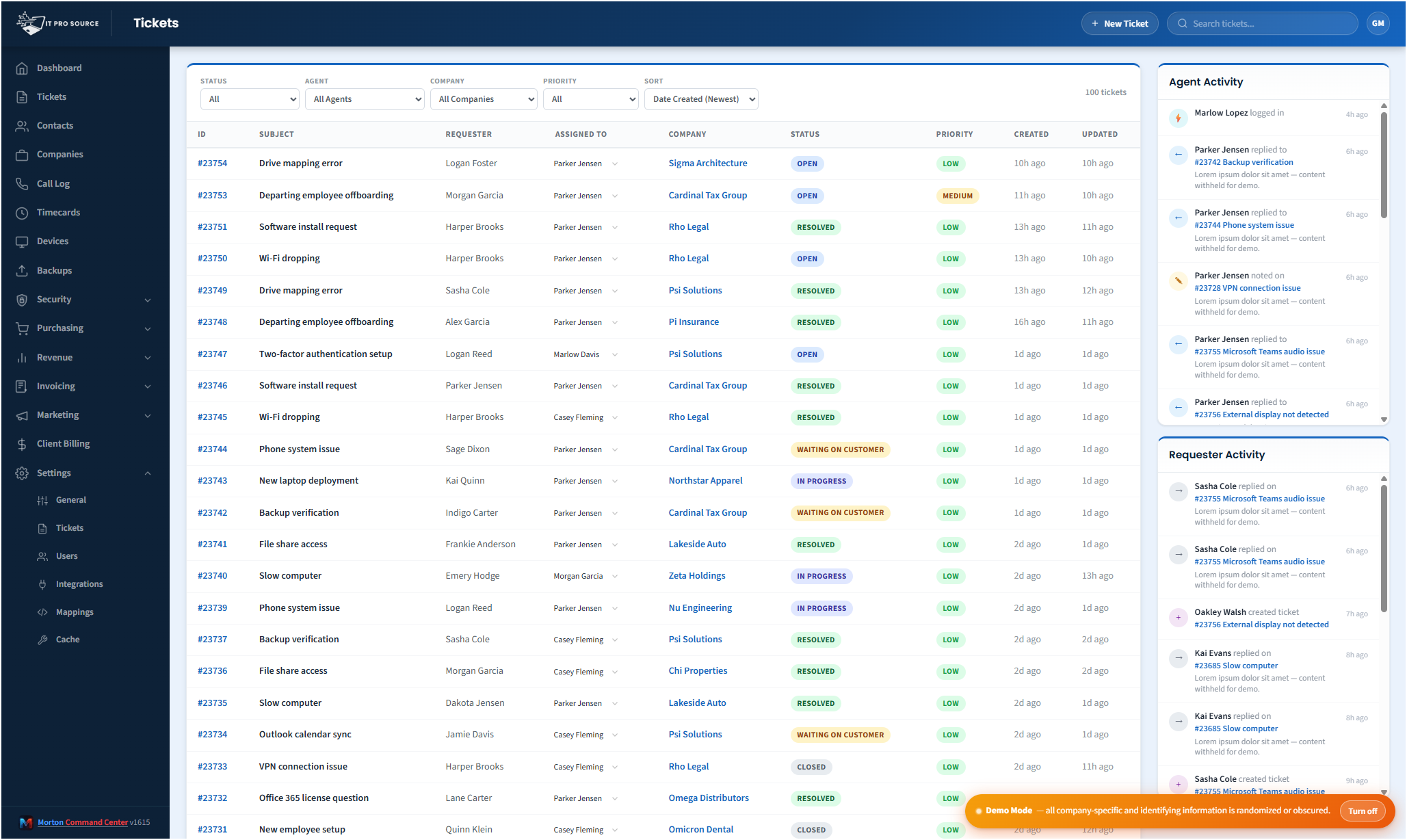
Most MSPs don't have one place to work tickets. They have a help desk, an RMM, a phone system, and a billing tool, and the ticket queue is just one of the tabs a technician keeps open all day.
That tab-switching is where time leaks. A tech opens a ticket, then opens the RMM to find the device, then opens the company record to confirm the plan, then comes back to reply. Multiply that by every ticket, every day, across every tech, and the cost is real.
Morton Command Center collapses that into one console. It reads your help desk's tickets through a vendor-agnostic adapter and presents them as a single queue, with the company and device context already attached. Your team works the ticket where they are, and every reply, note, and status change is written straight back to your real help desk.
It sits on top of your help desk: it doesn't replace it
This is the part that matters most: Morton Command Center is not a new ticketing system you have to migrate to. Your help desk stays exactly where it is. Your tickets, your history, your automations, your SLAs: none of it moves.
Instead, a normalized adapter sits between the platform and your help desk. The adapter reads tickets, contacts, and companies from your vendor, and it writes your team's actions back to that same vendor. If you ever stopped using Morton Command Center, your help desk would be untouched, with every ticket and reply still in place.
That's the whole architecture in one sentence: unify the tools you already run, without a rip-and-replace and without a data migration.
Your help desk becomes your ticket source, built to fit your stack
Whatever help desk you run owns ticketing, and we build the connection to it custom as part of your engagement. Because the platform is API-driven, any help desk or PSA with an API (Freshdesk, NinjaOne, ConnectWise, HaloPSA, Zendesk, or anything else) is built into your console the same way, fit to your exact workflows. If your tool has an API, we build the integration, custom to your stack.
What your team can do inside the queue:
- List, search, and filter tickets across the whole queue
- Open any ticket for full detail and conversation history
- Reply to the customer and add private notes
- Update status, priority, assignee, group, and ticket fields
- Claim a ticket and start a timer so the work gets logged
- Bulk-update a batch of tickets in one pass
- Merge duplicate tickets: on Freshdesk, where the help desk supports it
- Soft-delete tickets you don't want cluttering the queue
A couple of honest details, because the adapter mirrors what each vendor actually allows: ticket merge works on Freshdesk, since NinjaOne does not expose merge on its public API. And a delete on NinjaOne is a soft-delete via status change rather than a hard delete, because NinjaOne has no delete endpoint. The console exposes what your help desk can really do: nothing faked.
Side conversations, even when your help desk doesn't have them
Sometimes a ticket needs a quick email to a third party (a vendor, a landlord, a software publisher) without turning that thread into the customer-facing conversation. Morton Command Center has a built-in side-conversation feature that emails an outside party from within the ticket and keeps the reply attached to it.
Because that feature is native to the platform, it works on top of any connected help desk, even one whose own product doesn't offer side conversations. It's one of the ways a console layer can quietly add capability your underlying tools don't have.