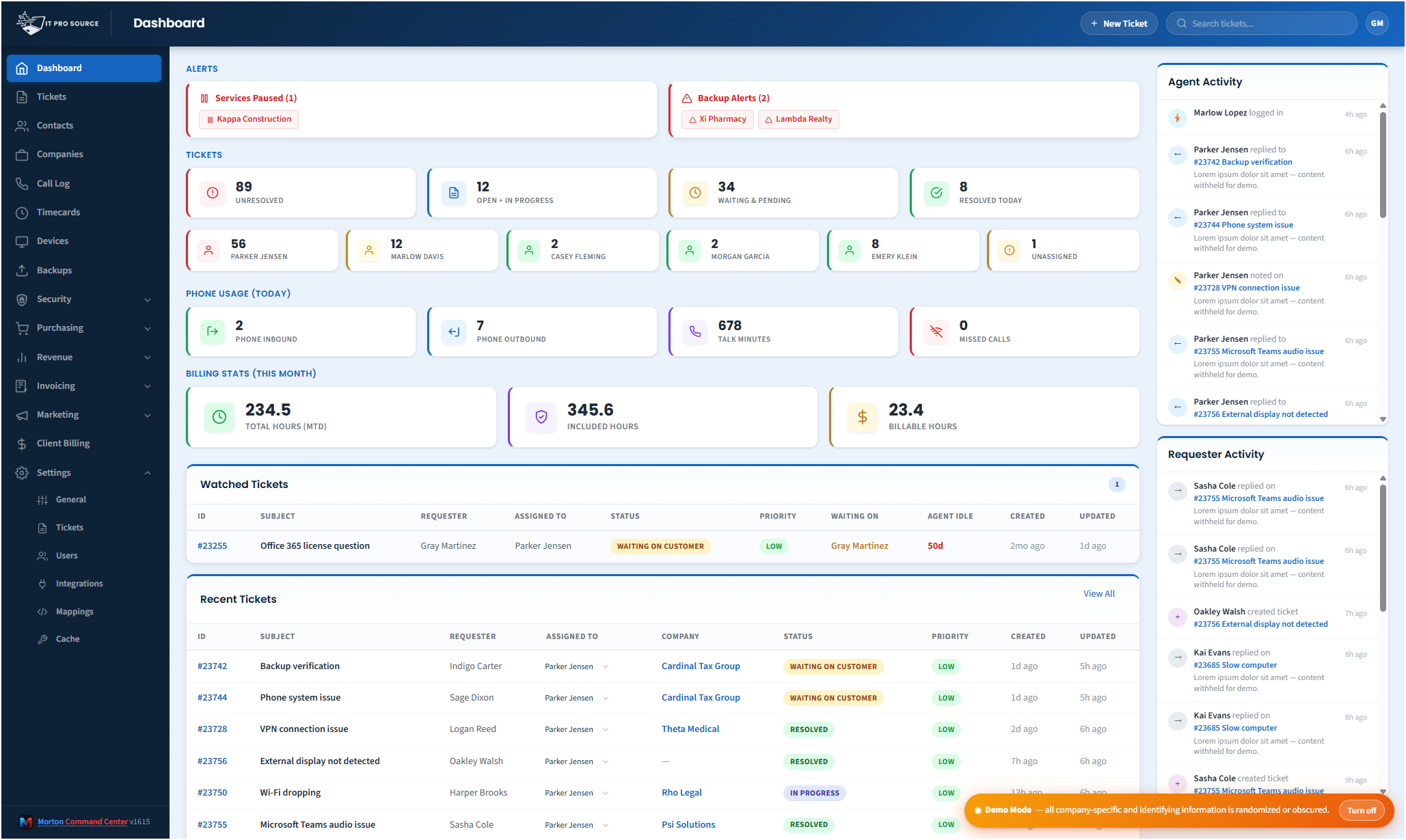
If you sell security as a service, you're running a SOC — even if you don't call it that. The problem is that "running a SOC" with five vendor consoles open in five tabs isn't really running a SOC; it's reactive triage with a high probability that something important falls through. The team running point on security at most MSPs is one or two senior techs who already have a full plate, and they need a single operations view to keep up.
Morton Command Center is that view, custom-built around your MSP's security stack and clients.
The action-queue approach
Most security dashboards report state. The Command Center security view is structured as an action queue: things that need a human decision today, ordered by urgency, with healthy clients and resolved findings collapsed. The view is what's left to act on — not a wall of green checkmarks and a few red dots hidden in the noise.
Each row in the queue is one item: an EDR finding to investigate, a compliance gap to fix, a critical patch missing on a server, a firewall event flagged for review. Click into the row and the full context surfaces: the customer, the device, recent related events from other vendors, the current investigation status, the relevant escalation contact.
What feeds the queue
- EDR / MDR. Huntress, SentinelOne, CrowdStrike — active incidents, isolated hosts, recent investigations.
- Compliance posture. Cork, vPenTest, Vanta — control gaps, expiring evidence.
- Patch state. NinjaOne, ConnectWise Automate, Datto RMM — missing critical patches per device.
- Microsoft Defender. 365 Defender alerts, identity protection findings, Defender for Endpoint signals.
- Firewall events. SonicWall, Sophos, Fortinet — alerts and flagged events.
- Backup health. Failed backups flagged because backup readiness is part of incident response.
- Identity events. Risky sign-ins, MFA failures, conditional-access denials from M365 / Google Workspace.
Per-customer security posture
Beyond the live queue, Command Center maintains a security posture summary per client. Open any company's view and the security tab shows: EDR coverage gaps, patches behind, compliance state, recent firewall events, backup health, identity hygiene. This is what your QBR slides need — not the screenshot collage from five vendor portals.
Why this matters more than any other consolidation
Security is the area where vendor sprawl costs the most and the consequences of falling behind are the highest. Every additional console is another login, another notification stream, another permission model, another report format. Most MSPs we've talked to have at least one security tool they're paying for and not actively monitoring — not because they don't care, but because the operational overhead is real.
Putting every signal in one queue means the operational overhead drops to one place. Your security tools start earning their license cost.
Pricing
Morton Command Center uses transparent flat pricing. There is one build fee, one monthly hosting fee, and one monthly reserved-hours block — no per-seat surprises and no annual escalators tied to your team size.
- $5,500 one-time build. Your custom platform — discovery, integrations, branding, deployment.
- $350 / month flat hosting. Edge infrastructure, security patches, vendor API key management, uptime monitoring.
- $1,250 / month reserved hours. Ten reserved engineering hours every month for tweaks, new integrations, or feature requests. Unused hours roll over.
Founding Five pricing. The first five MSPs to sign on lock in this rate for the lifetime of their account. Standard pricing — for everyone after — is expected to be roughly 50% higher. Founding Five rates never change, even as the platform grows.
Related solutions
Morton Command Center is built around your specific stack. If this page resonates, these adjacent angles probably will too:
- NinjaOne + Huntress + Cork — The most common security stack.
- Consolidate Your MSP Stack — The general consolidation pattern.
- Backup Monitoring — Why backup belongs in security view.
- Healthcare MSPs — Where security operations matter most.
Ready to talk?
The first call is a 30-minute discovery — we map your existing tools and workflows together, scope what a custom Command Center build would look like for your MSP, and decide whether the fit is right. No commitment, no sales pressure.
Questions first? Email [email protected] or read the FAQ.