The average MSP runs eight to fifteen browser tabs to get through a normal workday. PSA in one tab. RMM in another. Two security consoles. A billing system that doesn't talk to either. A procurement portal. Time tracking. The customer's M365 admin center. Fifteen minutes lost every hour to context-switching, with mistakes baked in by the time you're back to where you started.
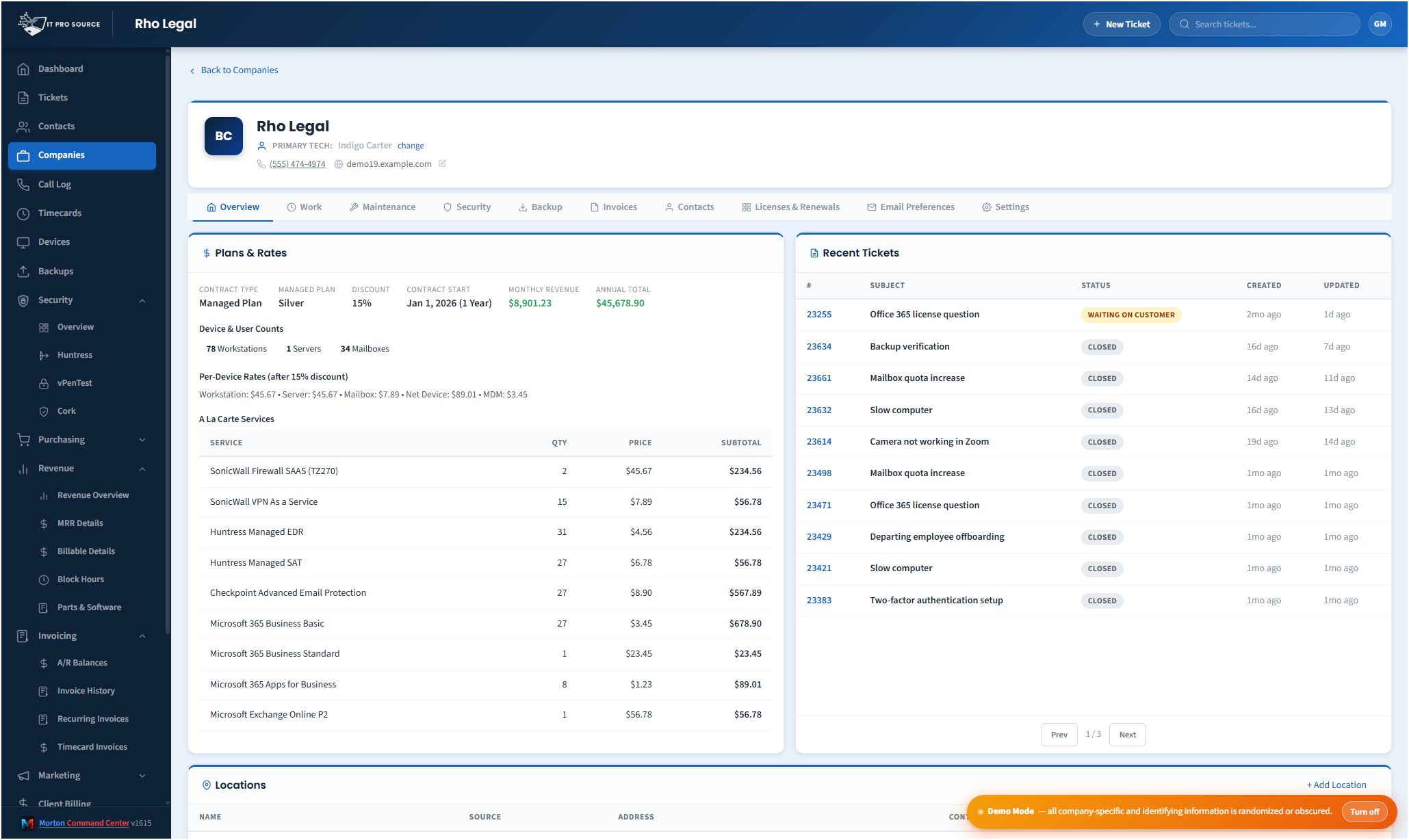
Morton Command Center collapses all of it into one dashboard, custom-built around your specific stack. The PSAs, RMMs, accounting systems, and security tools you already pay for stay where they are — Command Center reads from them via API and renders unified views your team actually uses.
What "consolidation" actually means here
Consolidation in this context isn't "rip out four tools and migrate to ours." It's "keep all four tools, stop opening four separate tabs." Your data continues to live in the systems of record (Freshdesk owns tickets, NinjaOne owns endpoints, QuickBooks owns the books). Command Center pulls real-time data from each via API and displays it together, with cross-linking that lets you click from a ticket to the device it's about, then to the company's billing record, then to its backup status — without leaving the page.
Typical consolidations
- Tickets. One unified queue across Freshdesk, Freshservice, ConnectWise, Halo, Autotask, or any combination — filter, search, and assign without picking a system first.
- Devices. NinjaOne, ConnectWise Automate, Datto RMM, Atera — all device inventories merged and searchable, with patch and health status alongside ticket history for each device.
- Security. Huntress, Cork, vPenTest, SonicWall, Defender — every alert and finding rolled into a single security operations view, sorted by what actually needs human action.
- Billing. QuickBooks Desktop or Online, paired with NinjaOne device counts, eBillity time entries, and Pax8 license usage — invoices populate themselves at month-end.
- Backups. Veeam, Datto, Cove, Acronis, Synology — every backup health signal across every vendor in one screen, with healthy clients collapsed so failures surface first.
- Procurement. Pax8 + Ingram + Dell quotes — all purchasing flow tracked in one place with markup automation built in.
What that does to your day
Real numbers from the team running Command Center inside IT Pro Source, the MSP that built it: ticket triage time dropped roughly 40%, monthly billing closeout went from a two-day exercise to under three hours, and after-hours alert noise was cut by reroute rules that would have been impossible in any single vendor's product. Nobody at ITPS opens Freshdesk or NinjaOne directly anymore — both run in the background, and the team operates Command Center.
Your tools stay your tools
This matters more than it sounds. If you ever decide Command Center isn't the right fit, you walk away with all your data still in Freshdesk, NinjaOne, QuickBooks, and the rest. Nothing was migrated. Nothing was duplicated into a proprietary database. There is no lock-in trap, because there's nothing to be locked into — Command Center is a viewer and orchestrator on top of the systems you already own.
Pricing
Morton Command Center uses transparent flat pricing. There is one build fee, one monthly hosting fee, and one monthly reserved-hours block — no per-seat surprises and no annual escalators tied to your team size.
- $5,500 one-time build. Your custom platform — discovery, integrations, branding, deployment.
- $350 / month flat hosting. Edge infrastructure, security patches, vendor API key management, uptime monitoring.
- $1,250 / month reserved hours. Ten reserved engineering hours every month for tweaks, new integrations, or feature requests. Unused hours roll over.
Founding Five pricing. The first five MSPs to sign on lock in this rate for the lifetime of their account. Standard pricing — for everyone after — is expected to be roughly 50% higher. Founding Five rates never change, even as the platform grows.
Related solutions
Morton Command Center is built around your specific stack. If this page resonates, these adjacent angles probably will too:
- MSP Operations Efficiency — The time math behind tab consolidation.
- Freshdesk + NinjaOne Dashboard — The most common starting consolidation.
- Custom MSP Platform — How the custom build adapts to your exact stack.
- Automated MSP Invoicing — What stack consolidation does to month-end billing.
Ready to talk?
The first call is a 30-minute discovery — we map your existing tools and workflows together, scope what a custom Command Center build would look like for your MSP, and decide whether the fit is right. No commitment, no sales pressure.
Questions first? Email [email protected] or read the FAQ.