QuickBooks Desktop is the part of the MSP stack nobody wants to touch. It runs on a server inside the office LAN, the company file is the single most sensitive document the business owns, and the moment you start talking about "cloud automation" against it, somebody on your team gets a very reasonable look on their face.
That look is correct. Most attempts to wire QuickBooks Desktop into a SaaS tool end one of two ugly ways: either you punch a hole in the firewall and forward a port to the QuickBooks server, or you give up and go back to exporting CSVs by hand every month. We didn't want either, so when we built the invoicing layer in Morton Command Center, the security architecture came first and the features came second.
This post is the "how does that actually work, and why is it safe" version. If you want the billing-workflow walkthrough instead (pulling device counts, security licenses, and Pax8 quantities into an invoice), that lives in our QuickBooks Desktop billing automation post.
The problem with putting QuickBooks Desktop on the internet
QuickBooks Desktop was designed for a world where the accounting workstation sat on the same network as everything else. Intuit's own remote-access story is some variant of "put the company file on a server and let people RDP in." There is no first-party HTTPS API you can point a cloud app at the way you would QuickBooks Online.
So when an MSP wants any cloud system to read or write that company file, the naive options are all bad:
- Port-forward the QuickBooks server. Now the single most valuable file in the business is reachable from the open internet, protected by whatever the vendor's auth happens to be. This is the kind of thing that shows up in a breach post-mortem.
- Stand up a VPN for the SaaS vendor. Better, but you're now maintaining a persistent tunnel into the client LAN on behalf of a third party, and you own every consequence of that tunnel.
- Screen-scrape or RDP automation. Brittle, breaks on every QuickBooks update, and still requires inbound access of some kind.
- Manual CSV export. Safe, and a tax on someone's time every single billing cycle. This is where most MSPs actually live.
The thing all the automated options have in common is that they assume the cloud has to reach in to QuickBooks. That assumption is the whole problem. Flip it, and the security picture changes completely.
Outbound-only: the local sync agent
The invoicing integration in Morton Command Center talks to your accounting system through whatever connection that system exposes, and we build that connection custom to your stack as part of your engagement. QuickBooks Desktop is the example we'll walk through here because it's the hardest case, via Conductor, a service whose model is a small local sync agent that runs next to the QuickBooks installation and connects to the QuickBooks SDK the way the desktop software itself expects to be talked to. The platform is API-driven, so any accounting system with an API (QuickBooks Online, Xero, Sage, or anything else) connects the same way; we build the integration to fit whichever you run, and the outbound-only security model below is the same regardless.
The detail that matters for security is the direction of every connection. The agent makes outbound calls to the cloud service. Nothing ever connects in to the QuickBooks machine. From the firewall's point of view, the QuickBooks server is making ordinary HTTPS requests out to the internet (the same posture as a browser or an update checker), and accepting nothing inbound.
That single design choice removes the whole class of risk that makes everyone nervous:
- No inbound firewall rule. You don't forward a port, you don't open the QuickBooks server to anything. There is no listening service for an attacker on the internet to find or probe.
- No VPN into the client network. No standing tunnel for us, or for QuickBooks, to maintain or be blamed for.
- QuickBooks is never on the internet. The company file stays exactly where it is, on the LAN, reachable only by the local agent on the same network, which is precisely the trust boundary it was designed for.
- The agent's scope is the QuickBooks SDK, nothing more. It isn't a remote-access tool. It speaks one protocol to one application.
If you've spent any time defending a small-business network, you already know why this matters: the hard part of security is almost never the encryption, it's the attack surface. An outbound-only agent has essentially no inbound attack surface to defend.
Where Morton Command sits in the chain
Morton Command Center never touches the QuickBooks company file directly. We talk to the Conductor cloud service over an authenticated HTTPS API; Conductor's agent does the actual conversation with QuickBooks Desktop on the LAN. That layering is deliberate, and it keeps the responsibilities clean:
- MortonCC runs on Cloudflare's serverless platform. Credentials for the Conductor connection live as per-tenant secrets, not in client code: the browser never holds them.
- When we create an invoice, we send a structured request to Conductor, which relays it to the local agent, which writes it into QuickBooks Desktop. The flow is idempotent and validated against a server-side QuickBooks-customer mapping, so a retry or a double-click can't produce a duplicate invoice or post against the wrong customer.
- Every tenant is isolated. Each MSP we onboard gets its own deployment, its own storage namespace, and its own integration credentials. One client's QuickBooks connection is never reachable from another tenant.
And because Morton Command Center follows an adapter pattern, your accounting system plugs into the same invoicing surface no matter what it is: we build the adapter for your exact stack during your build phase. QuickBooks Desktop via Conductor, QuickBooks Online, Xero, Sage, FreshBooks, or anything else with an API gets its own adapter built to fit your workflows. That's the advantage over rigid all-in-one suites that force you onto their handful of pre-baked connectors: your integrations are built to fit you, not the other way around. The rule is simple: if your tool has an API, we build the integration for it. We didn't want to ship a QuickBooks-Online-only tool and quietly leave Desktop shops doing CSV exports forever, which is exactly the gap most MSP platforms have.
What the integration actually does once it's connected
The security story would be academic if the integration were read-only, so it's worth being concrete about what's real. Once the agent is in place, Morton Command Center genuinely reads from and writes to QuickBooks Desktop:
- Create invoices in QuickBooks Desktop directly, with no export, no import, no spreadsheet in the middle.
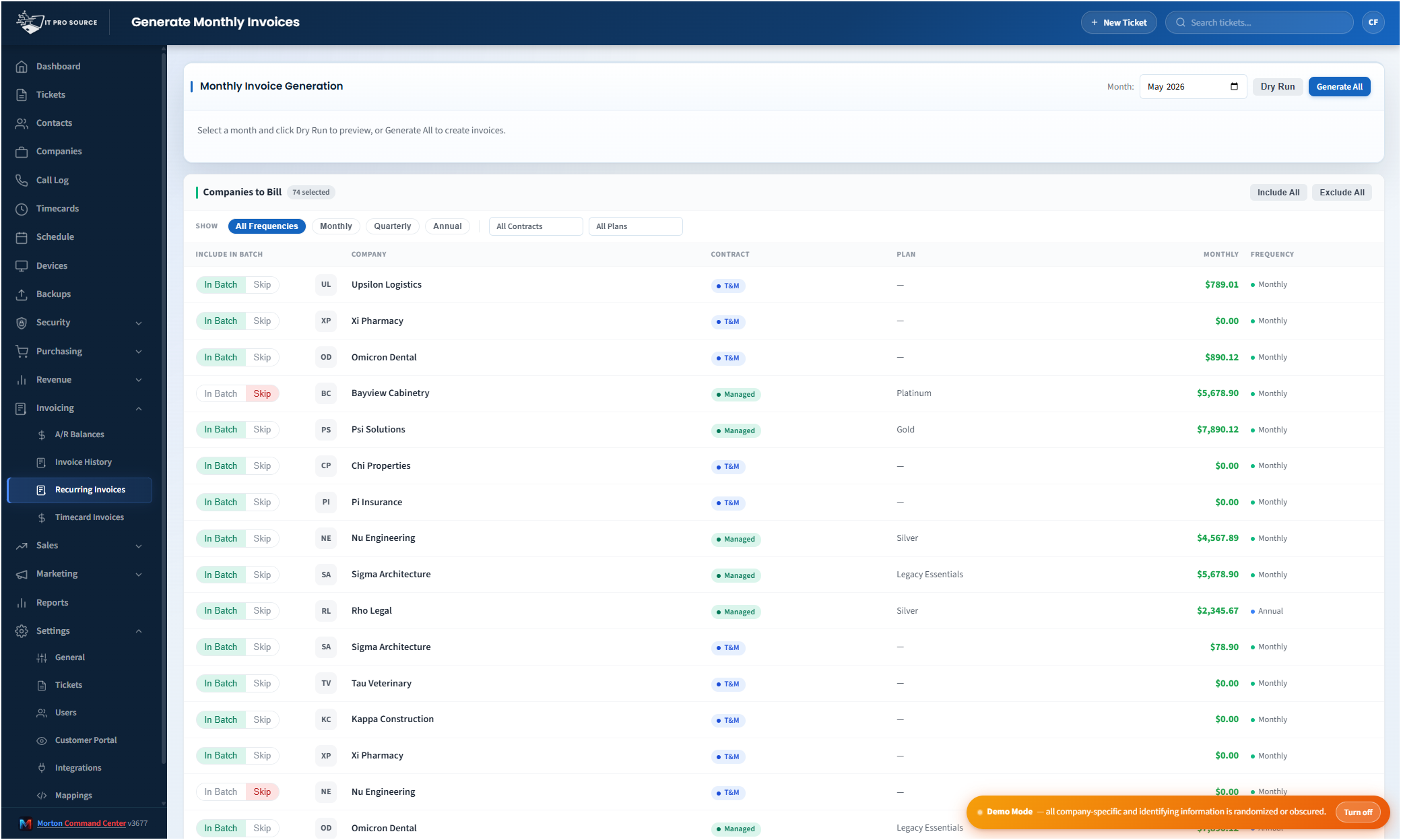
- Generate recurring monthly invoices from each client's billing configuration.
- Generate invoices from unbilled timecards, so logged work turns into a real QuickBooks invoice instead of sitting in a separate system.
- Read A/R aging and balances, reconcile what's unpaid, and record or void payments back in QuickBooks.
All of that happens through the same outbound-only path. There's no separate "write mode" that suddenly requires inbound access: creating an invoice uses the exact same connection direction as reading a balance.
The questions a security-minded MSP should ask
We run this at IT Pro Source before we ask anyone else to, so these are the exact questions our team asked, and the answers worth holding any QuickBooks Desktop integration to:
- Does anything connect inbound to the QuickBooks server? With the local-agent model, no. If a prospective tool needs a port forward or an inbound VPN, that's a red flag worth a hard conversation.
- Where do the credentials live? They should be server-side secrets scoped to one tenant, never in browser code and never shared across clients.
- Is invoice creation idempotent? If a network blip during an invoice run can double-bill a customer, that's not a finished integration. Ours validates customer mapping server-side and is safe to retry.
- What happens if you cancel? Because Morton Command Center reads from and writes to your existing QuickBooks rather than migrating your data into us, turning us off leaves your company file exactly as it was. There's nothing to extract back out.
The point
Automating QuickBooks Desktop has a reputation for being either insecure or impossible. It's neither: it just requires getting the direction of trust right. An outbound-only local agent means the QuickBooks server never has to listen for anything, never sits on the internet, and never needs a tunnel cut into its network. That's the architecture that let us turn monthly billing into a one-screen operation without anyone on the team losing sleep over it.
If you want to see the billing side of this in motion (recurring invoices, timecard-to-invoice generation, and pulling managed quantities straight into the line items), start with QuickBooks MSP billing automation or the broader automated MSP invoicing overview. The architecture in this post is what makes all of it safe to run against the company file you actually care about.
The rest of our security posture is on the security page. Pricing is flat-rate: see current pricing on the homepage →