If you run a ConnectWise shop, the PSA itself probably isn't the problem.
ConnectWise holds your agreements, your tickets, and your time. The pain shows up at month-end, when someone has to translate all of that into invoices: reconciling agreement quantities, pulling billable time, checking project work, applying the right rates, and then keying the result into QuickBooks line by line. It's slow, it's error-prone, and it's the part nobody wants to own.
Morton Command Center builds the pipeline that sits between ConnectWise and QuickBooks.
It gathers the billing-relevant data, applies your pricing rules, assembles the invoice lines, and hands your bookkeeper a clean review queue, so the only thing left to do is check the work and approve it.
A quick word on how ConnectWise connects
Here's where Morton Command Center works differently from a rigid all-in-one suite, and it's a feature, not a footnote. Every integration is custom-built to your stack, including ConnectWise. You're not stuck waiting for a vendor's pre-canned connector to do what their roadmap says it should; we build the connection around how your shop actually runs.
We wire ConnectWise in during your build phase. Morton Command Center is built on a vendor-agnostic adapter pattern: the platform reads from and writes to your existing tools through adapters, and which vendor owns each piece of data is configured per tenant. During onboarding we map your ConnectWise agreements, tickets, and time into that model so the billing pipeline runs on your real data. You don't migrate anything out of ConnectWise, and you don't replace it. It stays your PSA; we build the connection to it.
This is the same "personalized build on top of your existing stack" approach the whole platform is designed around. The product's own modules (ticketing, billing, dashboards, the portal) are included out of the box; the integrations to your outside tools are built for you, custom, as part of your engagement. If a tool has an API, we build it in.
The QuickBooks side is real, and it's read-write
Both halves of this stack (ConnectWise and QuickBooks) are built for you during your engagement. Morton Command Center genuinely creates invoices in QuickBooks Desktop: it doesn't just hand you a CSV to import.
It connects through Conductor, a lightweight local sync agent that bridges your on-premises QuickBooks Desktop to the cloud. Conductor never exposes QuickBooks to the internet (there's no firewall port to open), so your books stay where they live while invoices flow in automatically. On the QuickBooks side, Morton Command Center can:
- Create invoices in QuickBooks Desktop: with server-side customer-mapping validation so an invoice never lands against the wrong client
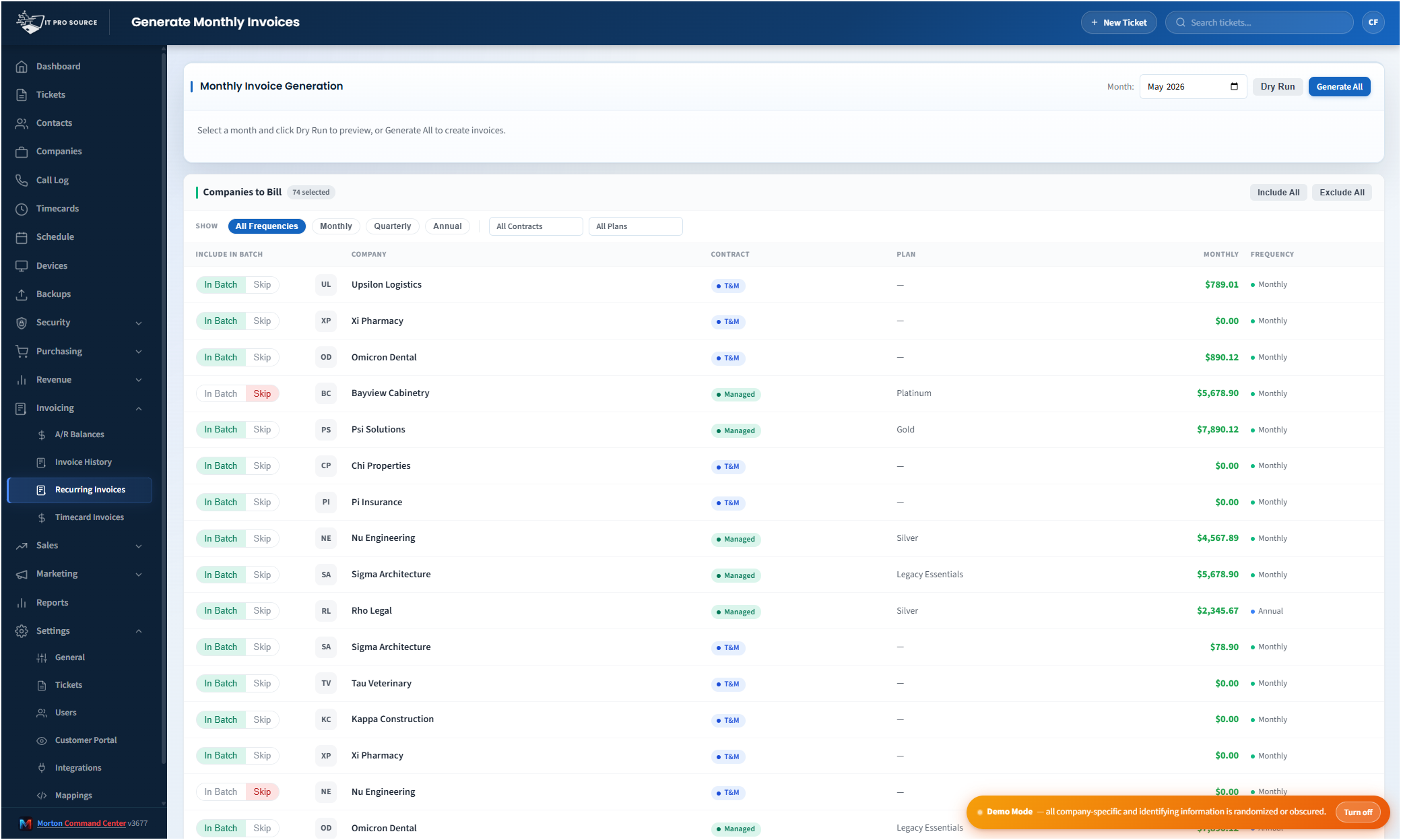
- Generate the monthly recurring run for your managed-services agreements
- Generate invoices from unbilled time so project and after-hours work is billed accurately
- Record and void payments and track A/R aging and balances right alongside the invoices
We build your QuickBooks Desktop integration via Conductor as part of your engagement. The platform is API-driven, so any accounting system that exposes an API (QuickBooks Online, Xero, Sage, NetSuite, or whatever your books live in) gets built the same way as ConnectWise, custom to your stack. If your accounting tool has an API, we support it.
Your bookkeeper reviews invoices instead of building them
At month-end, Morton Command Center creates a review queue for every customer invoice.
Each one arrives pre-filled with the right line items, quantities, rates, and totals based on your rules and your ConnectWise data. Your team scans the run, makes edits, reviews anything flagged as unusual, and approves the final version, and only then does Morton Command Center create the invoice in QuickBooks.
Nothing gets created blindly. You still control the final invoice.
But the repetitive part (the copying, checking, counting, matching, and re-keying between ConnectWise and QuickBooks) is handled for you.