QuickBooks Desktop is still the dominant accounting system for US small businesses, including most MSPs. The problem isn't QuickBooks; it's the manual reconciliation between QuickBooks and every other system your MSP runs. Month-end becomes a multi-day exercise of pulling device counts from your RMM, time entries from your time tracker, license counts from Pax8, and typing them into QuickBooks invoices by hand.
Morton Command Center automates the entire bridge.
How the automation actually works
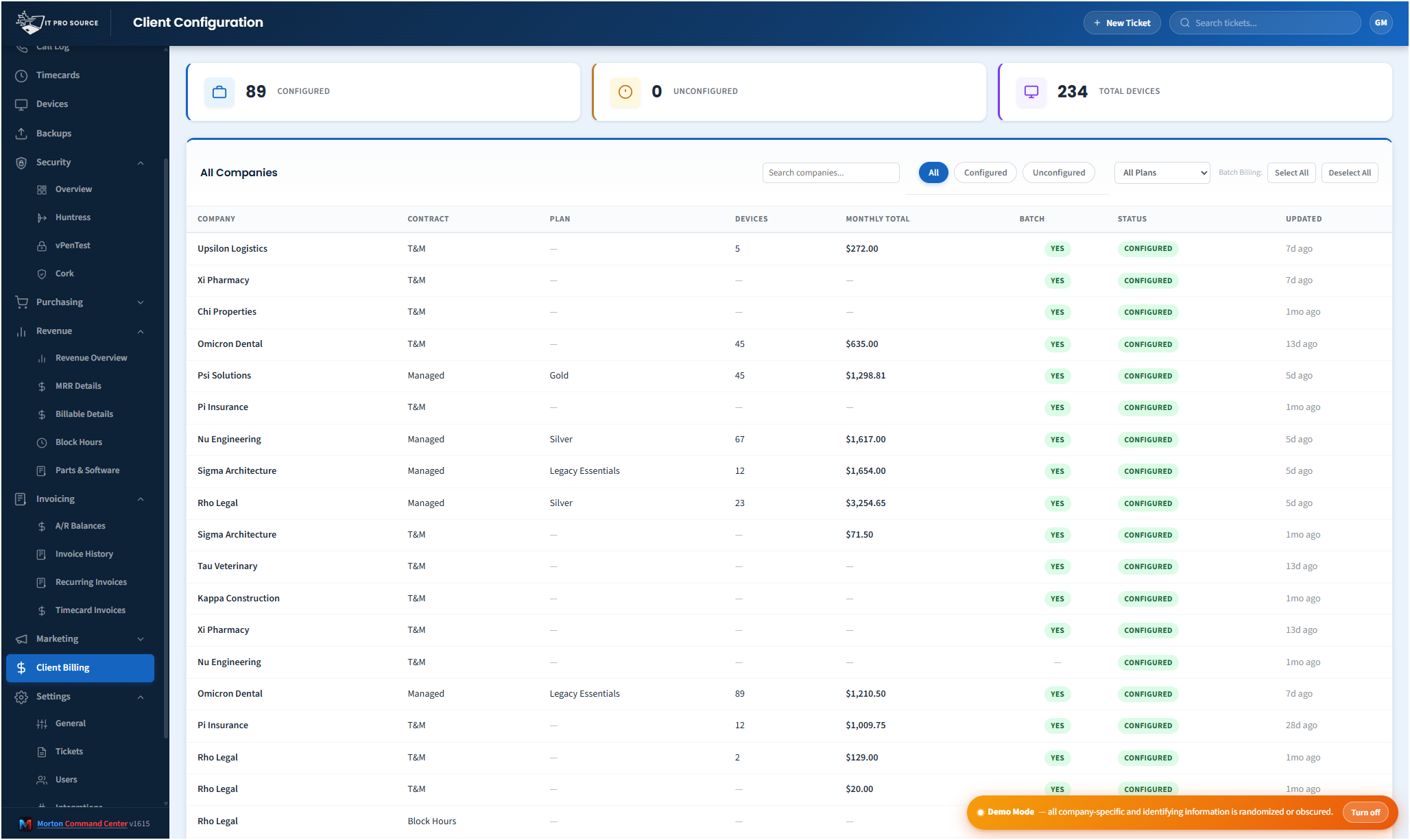
Command Center pulls billing-relevant data from every connected system on its own schedule, then generates invoice line items pre-populated with the right quantities. At month-end, your bookkeeper opens a queue of pending invoices, reviews them (every line is editable), and pushes them to QuickBooks with one click.
- Device counts from NinjaOne, ConnectWise Automate, or Datto RMM — auto-populated to per-device line items by client.
- Backup seat counts from Veeam, Datto, Cove, or Acronis — mapped to your backup billing rules.
- License counts from Pax8, Ingram, or your M365 partner portal — reconciled against the customer's purchased entitlements.
- Time entries from eBillity, Harvest, or your PSA's time module — grouped by client and matter, with rate logic applied.
- Project work tracked separately, with milestone billing or T&M, depending on the SOW.
- À la carte add-ons (extra storage, hourly rates beyond plan, after-hours work) — logged through the year, billed on the right cycle.
QuickBooks Desktop vs Online
Both are supported. QuickBooks Online has a clean REST API and integrates trivially. QuickBooks Desktop requires a bit more work — typically a Web Connector running on the QB Desktop machine — but Command Center handles that integration as part of the build. Once it's wired, the automation feels identical from your side.
Why this matters more than any other automation
For most MSPs, billing closeout is the single biggest drain on senior staff time and the single biggest source of revenue leakage. Time entries forgotten. Hours not invoiced. Devices added mid-month and missed on the next invoice. License counts off by ten because nobody reconciled Pax8 to QuickBooks. The cost of getting billing wrong adds up to thousands of dollars a month for a mid-sized MSP — and the cost of doing billing manually is days of senior time.
The team running Command Center inside IT Pro Source went from a two-day month-end exercise to under three hours, and recovered enough billing leakage in the first quarter to pay for the platform multiple times over.
What you keep doing in QuickBooks
QuickBooks remains the system of record for your books. Customers, items, classes, and the chart of accounts all stay there. Command Center mirrors what it needs (customer mappings, item codes, billing tiers) and pushes invoices in. Your accountant never has to learn a new tool — they keep working in QuickBooks exactly as they always have.
Pricing
Morton Command Center uses transparent flat pricing. There is one build fee, one monthly hosting fee, and one monthly reserved-hours block — no per-seat surprises and no annual escalators tied to your team size.
- $5,500 one-time build. Your custom platform — discovery, integrations, branding, deployment.
- $350 / month flat hosting. Edge infrastructure, security patches, vendor API key management, uptime monitoring.
- $1,250 / month reserved hours. Ten reserved engineering hours every month for tweaks, new integrations, or feature requests. Unused hours roll over.
Founding Five pricing. The first five MSPs to sign on lock in this rate for the lifetime of their account. Standard pricing — for everyone after — is expected to be roughly 50% higher. Founding Five rates never change, even as the platform grows.
Related solutions
Morton Command Center is built around your specific stack. If this page resonates, these adjacent angles probably will too:
- Automated MSP Invoicing — The broader invoice-automation story.
- Pax8 + QuickBooks — The license-reconciliation piece.
- Time Tracking + Billing — How time entries become invoice lines.
- Consolidate Your MSP Stack — The unified-data-layer pattern.
Ready to talk?
The first call is a 30-minute discovery — we map your existing tools and workflows together, scope what a custom Command Center build would look like for your MSP, and decide whether the fit is right. No commitment, no sales pressure.
Questions first? Email [email protected] or read the FAQ.