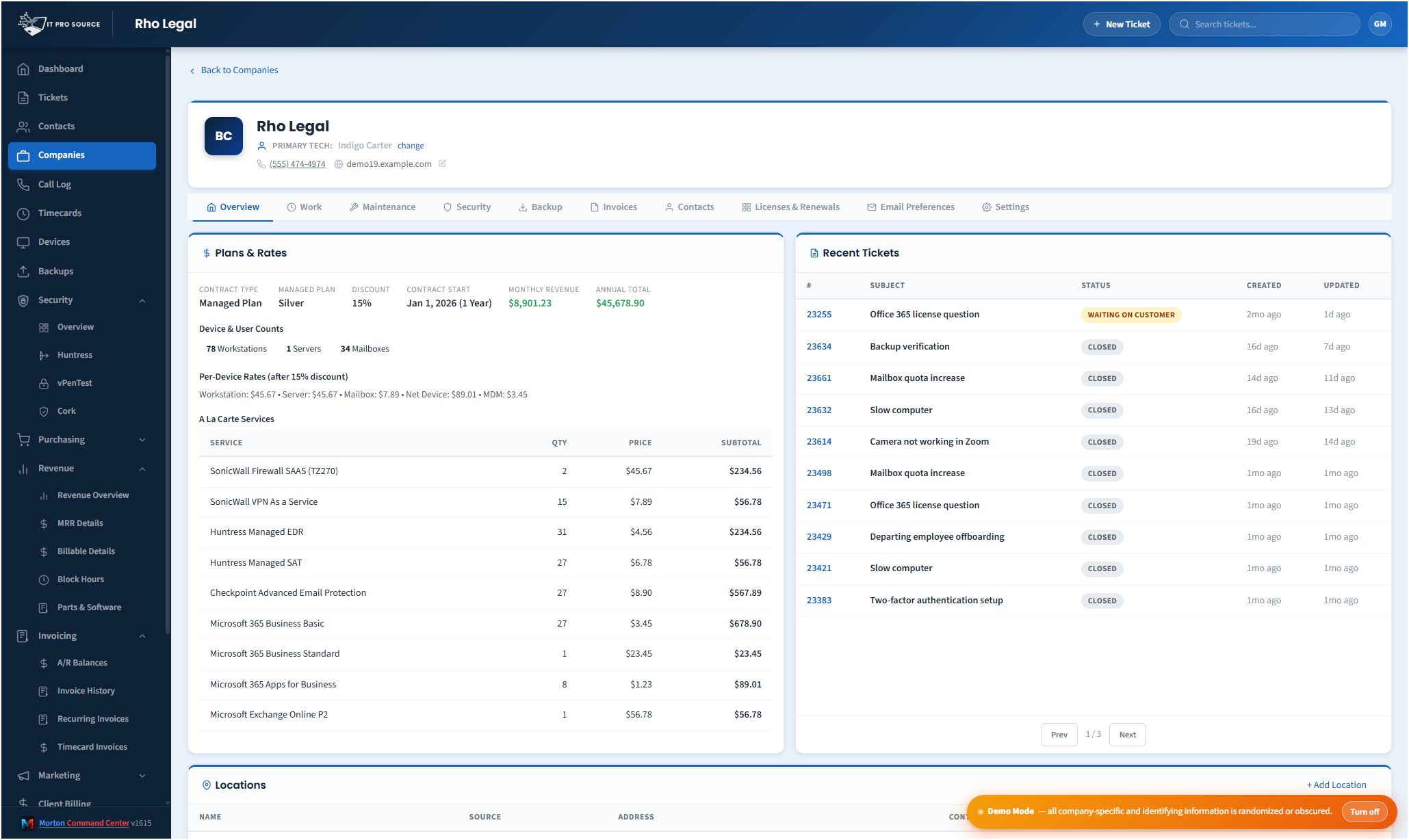
Most MSP client portals are afterthoughts — a tabbed view inside the PSA, vaguely branded, showing a thin slice of the data the customer actually wants. Customers either ignore them or complain that they have to call to get a real answer. The MSPs that take portals seriously have invested real money to build something custom, usually in the form of a $30-60K consulting engagement.
Morton Command Center includes a fully white-labeled customer portal as part of every build. Your domain, your branding, your colors, your logo, your terminology. Hosted on your subdomain (portal.yourcompany.com or similar), authenticated against the customer's existing identity provider, and showing real, live data from every system in your stack.
What the customer actually sees
- Tickets. Open tickets, status, last update, ability to add comments, attach files.
- Devices. Their endpoint inventory with health status — patched, behind on updates, last reboot.
- Backups. Last successful backup per protected machine, with simple traffic-light status.
- Security posture. A simplified view of EDR coverage, patch state, compliance status.
- Billing. Current invoice, recent invoice history, plan summary.
- Users / contacts. Who at their company is authorized to open tickets, with a self-service way to update.
- Knowledge base / shared docs (optional, depending on what you want to expose).
The branding goes deep
This isn't "your logo in the corner of someone else's product." Every visible element — colors, typography, footer copy, transactional email templates, login screen, error pages — is yours. Customers should not be able to tell the portal is built on a third-party platform. Most can't.
The platform name "Morton Command Center" never appears anywhere customers can see. The MortonApps brand never appears. The portal is, as far as your customers experience it, your own product.
The authentication story
Customers sign in with email + magic link by default — no password to remember, no MFA configuration burden on your support team. For larger clients, we wire SSO against their existing M365 or Google Workspace tenant during the build. Either way, the auth experience is friction-free for the end user and secure for you.
Permissions are role-based. The customer's main contact sees everything. Other authorized users see what they need (typically tickets and devices, sometimes billing). You configure who sees what during onboarding, and customers can manage their own user list within the rules you set.
Why the portal moves the needle on retention
MSPs with strong customer portals consistently report higher retention and easier renewals. The reason: when the customer can self-serve a basic question (status of an open ticket, who they should be calling, how their backups looked last night), they don't make a support call. The interactions they do have are higher-value. The relationship feels more professional. And the QBR conversation is grounded in real data the customer has already seen, not numbers you produce on the slide deck.
Pricing
Morton Command Center uses transparent flat pricing. There is one build fee, one monthly hosting fee, and one monthly reserved-hours block — no per-seat surprises and no annual escalators tied to your team size.
- $5,500 one-time build. Your custom platform — discovery, integrations, branding, deployment.
- $350 / month flat hosting. Edge infrastructure, security patches, vendor API key management, uptime monitoring.
- $1,250 / month reserved hours. Ten reserved engineering hours every month for tweaks, new integrations, or feature requests. Unused hours roll over.
Founding Five pricing. The first five MSPs to sign on lock in this rate for the lifetime of their account. Standard pricing — for everyone after — is expected to be roughly 50% higher. Founding Five rates never change, even as the platform grows.
Related solutions
Morton Command Center is built around your specific stack. If this page resonates, these adjacent angles probably will too:
- Consolidate Your MSP Stack — How portal data comes from the unified layer.
- Custom MSP Platform — Why every build includes the portal.
- MSP Security Operations — What the security view shows clients.
- Automated MSP Invoicing — Where invoice data on the portal originates.
Ready to talk?
The first call is a 30-minute discovery — we map your existing tools and workflows together, scope what a custom Command Center build would look like for your MSP, and decide whether the fit is right. No commitment, no sales pressure.
Questions first? Email [email protected] or read the FAQ.