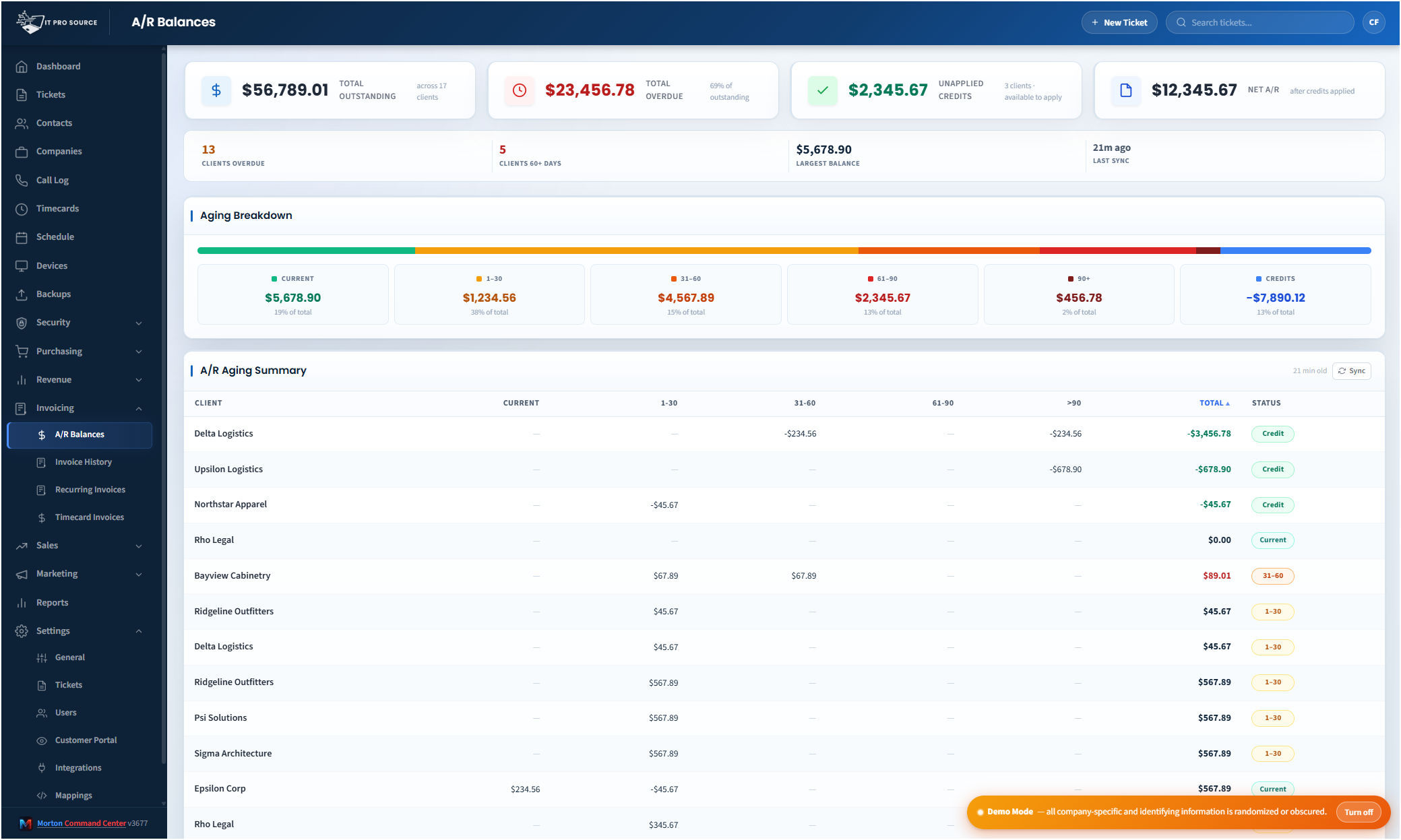
For most MSPs, finding out who owes what means logging into QuickBooks, running an aging report, exporting it, and squinting at a spreadsheet. So nobody outside the accounting seat ever sees it, and the people who actually talk to clients are the last to know a balance went 60 days past due.
Morton Command Center reads your accounts receivable directly from QuickBooks Desktop and puts it on a screen anyone with the right permissions can open.
No QuickBooks login. No report to run. No export. The A/R Balances view leads with your total outstanding, total overdue, unapplied credits, and net A/R, then surfaces your largest single balance and a full aging breakdown (current, 1–30, 31–60, 61–90, and 90+ days) with every client's balance broken out the same way underneath.
Read from QuickBooks Desktop, not a copy of it
This is the real number, not a stale snapshot you keyed in somewhere else. Morton Command Center connects to QuickBooks Desktop (Enterprise, Premier, or Pro) through Conductor, a lightweight local sync agent that bridges your on-premises QuickBooks to the cloud. Conductor never exposes QuickBooks to the internet and needs no open firewall port, so your books stay exactly where they are.
What you see in the A/R aging is what your accounting system says is owed. Record a payment, void one, or post a new invoice, and the aging reflects it on the next sync. Your accounting system stays the source of truth. Morton Command Center just reads it and makes it visible to the rest of the business without handing everyone an accounting seat.
Your QuickBooks Desktop integration is built custom for you as part of your engagement, using Conductor to bridge your on-premises books. And because the platform is API-driven, any accounting system you run (QuickBooks Online, Xero, Sage, NetSuite, or whatever it is) gets the same treatment: a custom-built integration shaped to your exact setup. If your tool has an API, we build it for you.
Cron-warmed, so the answer is already waiting
Pulling AR live out of QuickBooks every time someone opens the page would be slow. So Morton Command Center warms the data on a schedule in the background and serves the A/R Balances view from cache. When your account manager opens it before a client call, or you glance at it on a Friday afternoon, the aging is already there, no spinner, no waiting on a QuickBooks query.
Because the cache is warmed on a cron cycle, the numbers are near-real-time rather than the literal second-by-second state of QuickBooks. For collections that's exactly right: you want a fast, reliable picture of where balances stand, and a manual refresh is one click away whenever you want the freshest pull on demand.
The whole team can see collections, safely
Receivables shouldn't be locked behind one bookkeeper's QuickBooks login. When an account manager can see that a client is 75 days past due, that conversation happens before the relationship sours. When an owner can glance at total outstanding without interrupting accounting, decisions get made faster.
Morton Command Center makes that possible without giving everyone the keys to your accounting system. Real role-based access control means financial views like A/R Balances appear only for the roles you allow, and scoped team members see only the companies assigned to them. Your bookkeeper keeps QuickBooks; everyone else gets the slice of the picture their job actually needs.